

Uspin Casino mobile version: responsive site as an alternative to an app
Uspin Casino Mobile Version: Responsive Site as an Alternative to an App
The developers of Uspin Casino have deliberately chosen a responsive web interface instead of building a standalone application. For users, this means no need to download installation files, use device storage, or manage updates. Instead, full functionality is accessible through any modern browser.
Why There Is No Native App?
Refusing to develop installable software is a common approach among operators targeting the European market. A unified web platform avoids restrictions often imposed by App Store and Google Play policies. In addition, all updates are implemented server-side and become available instantly, without requiring users to allocate hundreds of megabytes for installation and background processes.
Responsive Design
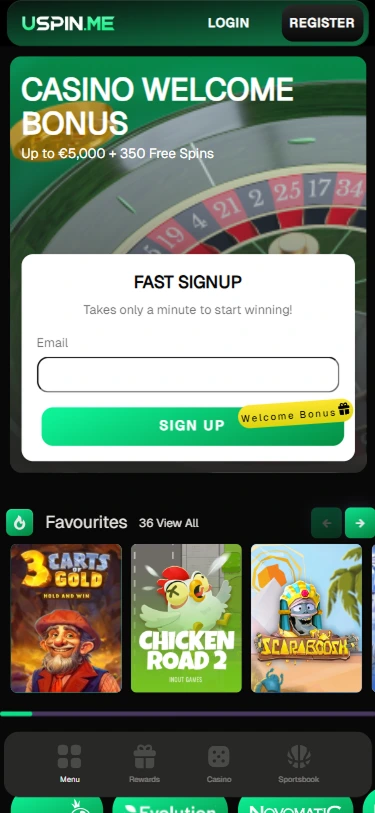
Instead of native software, the platform uses Responsive Web Design (RWD) technology. Page layouts automatically adjust to screen resolution, device orientation, and input type. Navigation is organized into a compact hamburger menu, which opens on tap and includes all key sections: casino, live dealers, sportsbook, esports, tournaments, and support.
Interactive elements feature enlarged touch zones of at least 44×44 pixels, in line with Apple iOS design guidelines, reducing accidental taps. Content is arranged in a single vertical flow optimized for scrolling, while video streams from Evolution and ICONIC21 dynamically adjust bitrate based on connection quality, ensuring smooth playback even on 4G networks.
Features Available on Mobile
The mobile version retains all functionality available on desktop. Through a browser, users can complete registration — the form is optimized for touch input, and fields automatically switch keyboard types (email fields display “@”, phone fields use numeric input).
Login supports password storage via built-in managers such as Apple Keychain on iOS and Google Smart Lock on Android. Financial operations are also fully supported: deposits and withdrawals can be processed via Visa, Mastercard, Skrill, Neteller, MuchBetter, as well as cryptocurrencies ETH and USDT on ERC-20 and TRC-20 networks.
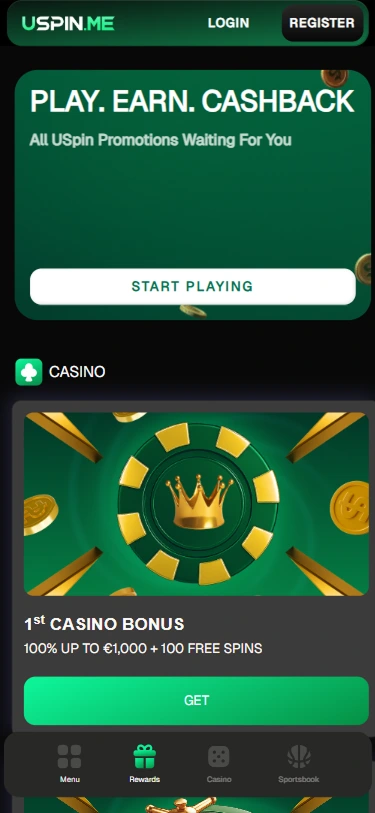
Launching games does not cause issues: slots, table formats, live dealers, and esports all run via browser using WebGL and HTML5. The Rewards section allows participation in promotions and tournaments, with activation completed in just a few taps. Customer support is available through live chat, which opens in a separate window and remains active during navigation.
Technical Requirements and Compatibility
The platform has been tested across multiple configurations. Below are the key parameters for stable performance:
| Operating System | Browsers | Features |
|---|---|---|
| iOS (15.0+) | Safari, Chrome, Firefox | Face ID / Touch ID support |
| Android (10.0+) | Chrome, Firefox, Edge | Biometric authentication (fingerprint) |
| iPadOS | Safari, Chrome | Full support in landscape mode |
For optimal performance, it is recommended to enable JavaScript and WebGL (both active by default), disable ad blockers that may interfere with provider content, and ensure at least 2 GB of available RAM for stable live streaming.
PWA: Progressive Web Application
Although there is no standalone client, the platform supports Progressive Web App (PWA) technology. This allows users to add an icon to the home screen via the browser.
On iOS (Safari), tap “Share” and select “Add to Home Screen.”
On Android (Chrome), open the menu (three dots) and select “Install app.”
After installation, an icon appears on the home screen, and the interface launches in a standalone mode without the address bar or browser controls. With user permission, PWA also enables push notifications for new promotions and tournaments.
Comparison
Many users reviewing the service ask which is more convenient — a responsive site or a native client. The table below outlines an objective comparison:
| Parameter | Responsive Site (PWA) | Native App |
|---|---|---|
| Installation | Not required / ~10 seconds | 2–5 minutes |
| Device storage | 0–5 MB (cache) | 200–500 MB |
| Updates | Automatic | Requires store download |
| Store availability | Always accessible | May be restricted |
| Push notifications | Yes (via PWA) | Yes |
| Background operation | Limited | Full |
As shown in the comparison, the web-based solution offers faster access, lower resource usage, and independence from app stores. Native clients may provide deeper system integration, but for most use cases, the responsive version is sufficient.
Usage Recommendations
To ensure the best experience, consider a few practical tips. For live streams from Evolution and SA Gaming, a Wi-Fi or 5G connection is preferable, while 4G is sufficient for slots and sports betting.
Periodic browser cache clearing helps improve loading speed and frees up storage. When using table formats such as blackjack or roulette, as well as the sportsbook, switching the device to landscape mode increases the usable screen area. Using built-in password managers on iOS or Android ensures quick and secure login.