


Uspin Casino registration: access to all platform features
Registration: access to Uspin Casino features
Creating an account is the quickest and most important step, though many users tend to overlook it. We completed sign-up at Uspin Casino in just a few minutes.
Step 1. Enter initial details
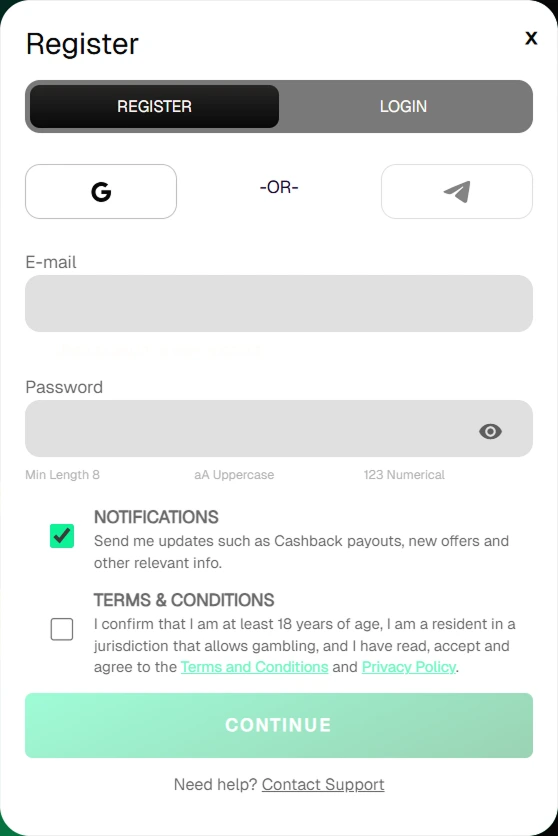
On the homepage, click the registration button. Enter your email address — this is where transaction confirmations and notifications will be sent. Create a strong password using numbers and special characters. Confirm that you have read and accept the casino rules and meet the legal age requirement. Without these checkmarks, the continue button remains inactive.
Step 2. Complete your profile
After clicking “Continue,” an extended form will open. All details are later verified against documents, so it’s worth paying attention to accuracy:
Enter your first and last name in Latin characters, exactly as in your passport.
Provide an address that you can confirm with a bill or official statement.
Use a valid phone number — it may be required for two-factor authentication.
You can activate the welcome offer right away by ticking the corresponding box.
Personal account
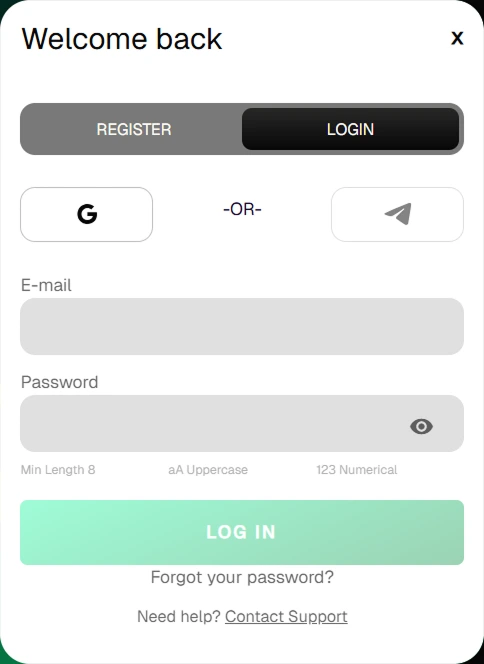
After logging in, the dashboard displays your current balance and profile status. The label “Not Verified” remains visible until identity confirmation is completed.
In the “Limits” section, responsible gaming tools are available. Here, you can set restrictions — for example, block access for a few days or limit the deposit amount.
Multi-account restriction
Uspin Casino monitors devices and digital footprint. If multiple users access accounts from the same IP address or device, the system may classify this as multi-accounting. To avoid account suspension, it’s advisable to notify support in advance.
Verification (KYC)
Identity verification is required to comply with international standards. The process takes up to 24 hours if documents are submitted correctly.
Required documents:
Passport or ID card. All corners must be visible, and the text clearly readable.
Proof of address. A utility bill, internet bill, or bank statement.
Payment method. If a card was used, the security team may request a photo. The first 6 and last 4 digits must be visible, while the CVV code must be hidden.
Once verification is approved, all financial operations become available, and withdrawals are processed without restrictions.